Top SQL
The Top SQL panel displays the top 10 SQL queries observed in ASH samples during the selected time window. It helps you identify which queries are consuming the most resources or generating the most wait activity.
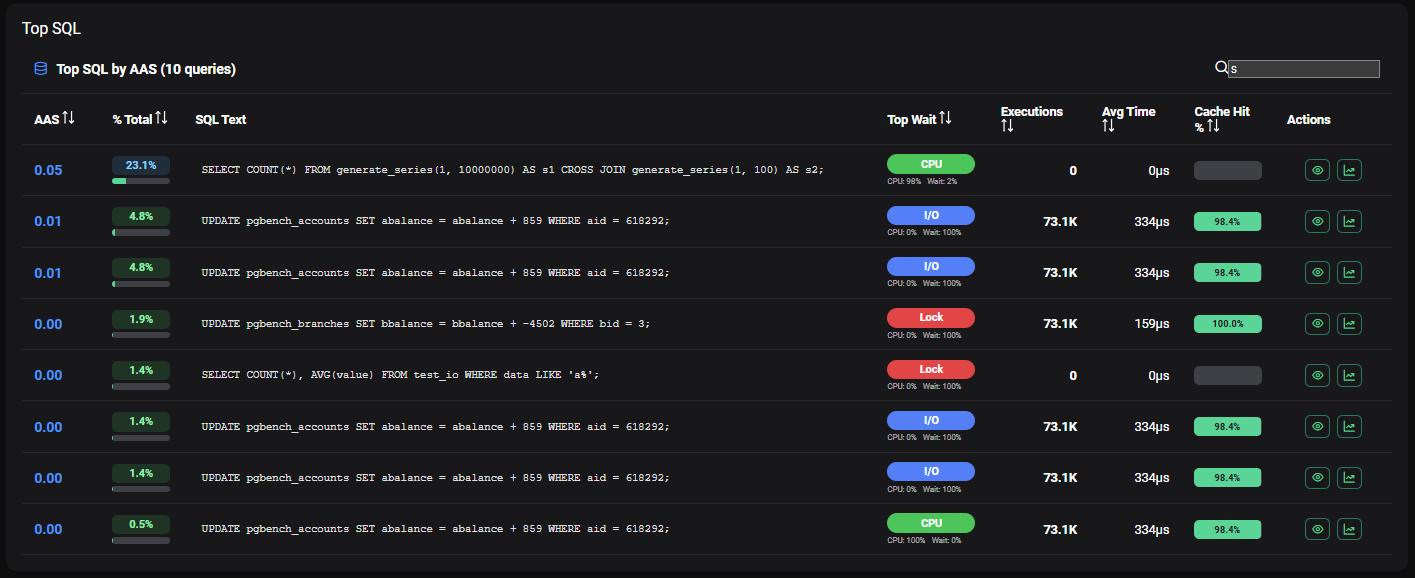
Top SQL Table
The table lists up to 10 queries with the following information per row:
| Column | Description |
|---|---|
| AAS | Average Active Sessions — average number of active sessions executing this query during the selected period |
| % of Total | Percentage of total DB time attributed to this query |
| SQL Text | Normalized SQL text (truncated) |
| Top Wait Type | Most frequent wait event type observed for this query (color-coded) |
| CPU% / Wait% | Breakdown of time spent on CPU vs. waiting |
| Executions | Number of executions observed during the period |
| Avg Time | Average execution time per call |
Sorting
The table can be sorted by clicking on any of the following column headers:
| Sort Column | Use Case |
|---|---|
| AAS | Identify queries with the highest average active sessions (default) |
| Total Time % | Identify queries consuming the most total database time |
| Top Wait Type | Group queries by their dominant wait event |
| Executions | Identify the most frequently executed queries |
| Avg Time | Identify consistently slow individual executions |
| Cache Hit | Identify queries with poor buffer cache utilization |
Search
Use the Search SQL box above the table to filter queries by SQL text. The filter applies to the normalized SQL text displayed in the table.
Query Detail
Click on any row to expand the full detail panel for that query.
Header
| Field | Description |
|---|---|
| SQL Query | Full normalized SQL text |
| Query ID | Internal PostgreSQL query identifier |
| Query Hash | Hash of the normalized query text |
| AAS | Average Active Sessions for this query |
| Samples | Number of ASH samples capturing this query |
| Executions | Number of executions observed |
| Avg Exec Time | Average execution time per call |
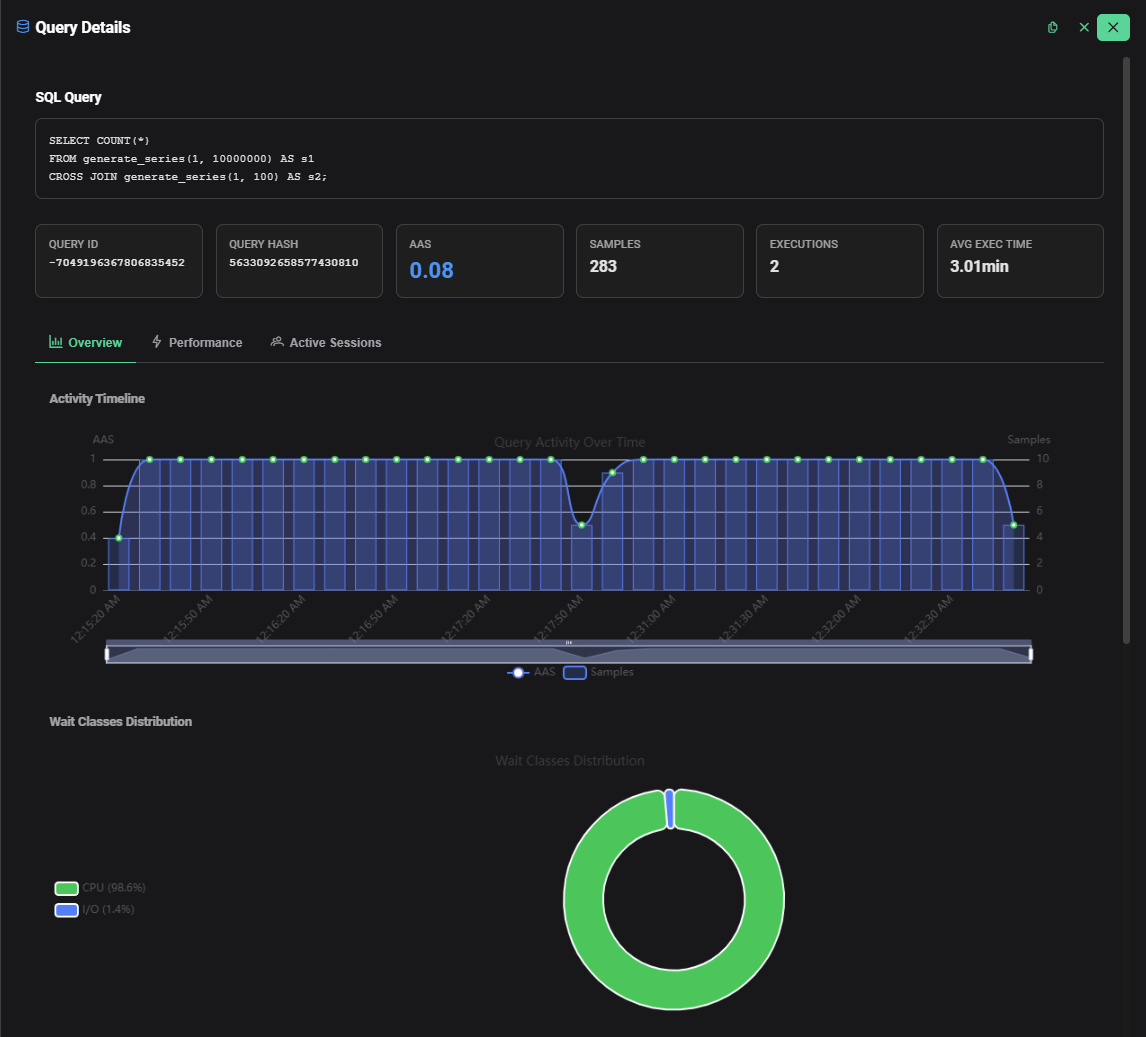
Tab 1 — Overview
- Query Activity Over Time — Activity timeline chart showing the execution pattern of this specific query over the selected period, colored by wait event type
- Wait Class Distribution — Breakdown of wait event types observed for this query during the period
Tab 2 — Performance
Execution Statistics
| Metric | Description |
|---|---|
| Total Exec Time | Cumulative execution time across all observed executions |
| Avg Exec Time | Average time per execution |
| Min Exec Time | Fastest execution observed |
| Max Exec Time | Slowest execution observed |
| Std Dev | Standard deviation of execution time — indicates variability |
| Total Rows | Total rows returned across all executions |
I/O Statistics
| Metric | Description |
|---|---|
| Blocks Read (Disk) | Blocks read from disk (cache misses) |
| Blocks Hit (Cache) | Blocks served from buffer cache |
| Cache Hit Ratio | Percentage of reads served from buffer cache |
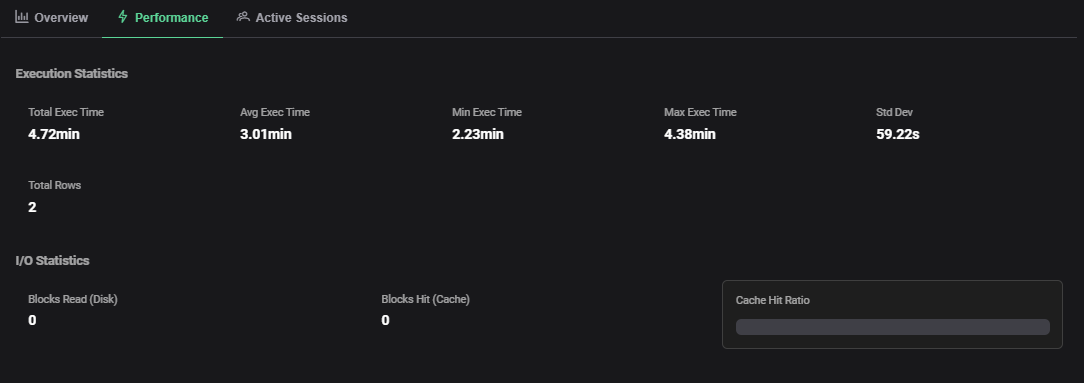
A low cache hit ratio for a specific query indicates it is reading many blocks from disk — likely due to a missing index, a large sequential scan or insufficient shared_buffers. Investigate the query execution plan with EXPLAIN (ANALYZE, BUFFERS).
Tab 3 — Active Sessions
A table of sessions currently executing this query, refreshed with the ASH data:
| Column | Description |
|---|---|
| PID | PostgreSQL process ID |
| State | Session state (active, idle, idle in transaction) |
| Wait Event | Current wait event (e.g. On CPU, lock name, I/O event) |
| Client | Client address or local for local connections |
| Query Start | How long this execution has been running |
{screenshot: ash-query-detail-active-sessions}
