Database Size Trends
The Database Size tab tracks the storage evolution of all monitored databases over the selected time period, and monitors transaction ID (XID) age as a wraparound risk indicator.
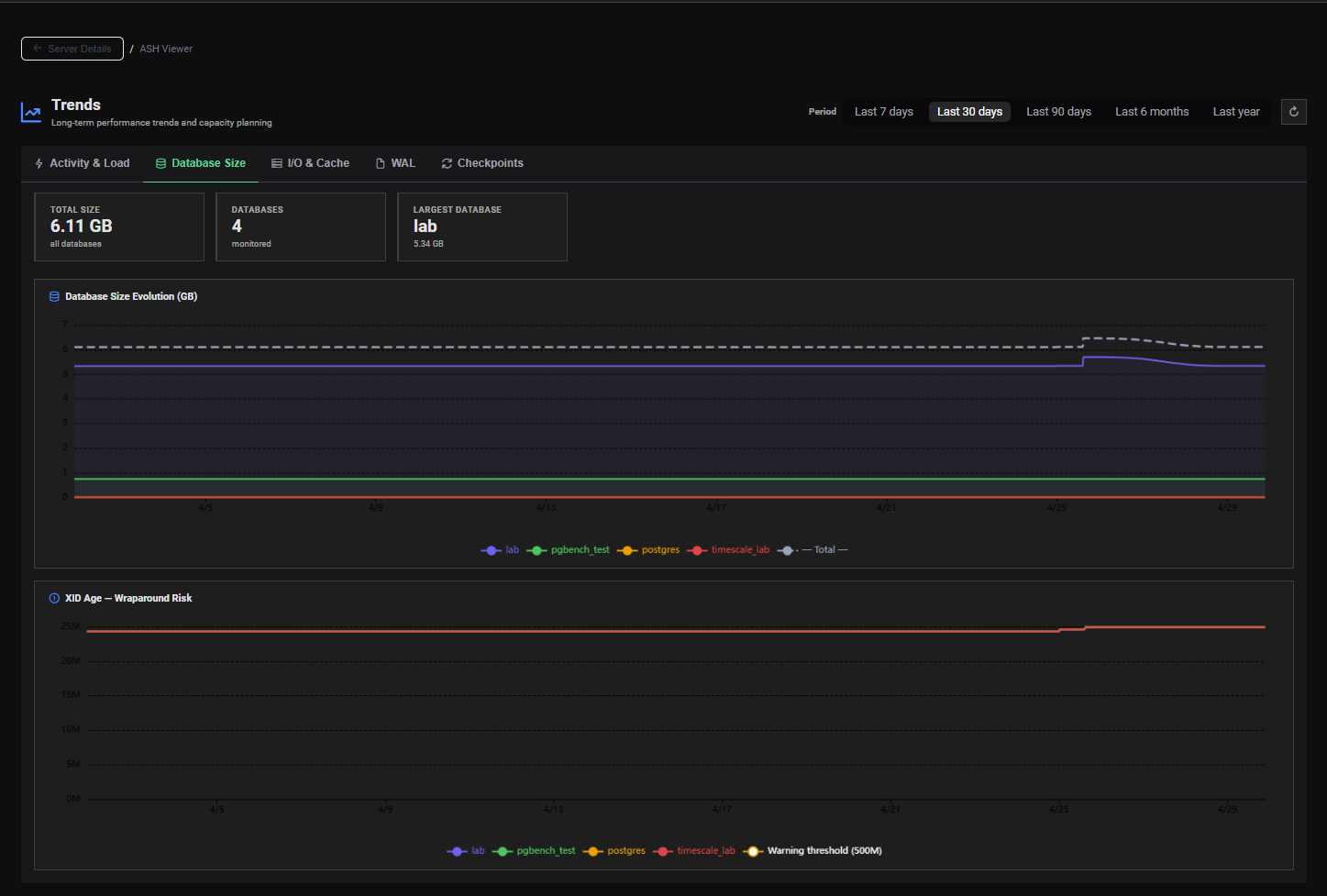
KPI Summary Cards
Three summary cards give an immediate snapshot of the current storage state:
| Card | Description |
|---|---|
| Total Size | Combined size of all monitored databases on this instance |
| Databases | Number of databases currently monitored on this server |
| Largest Database | Name of the largest database + its current size |

Charts
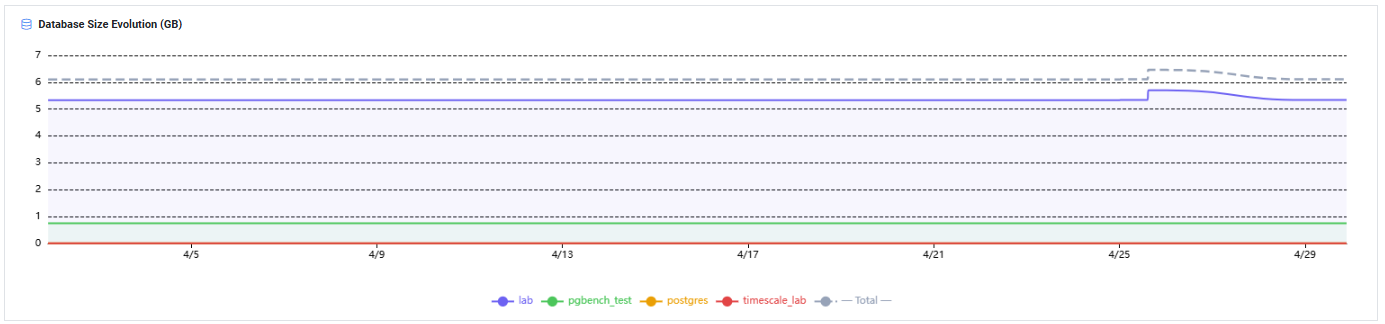
Chart 1 — Database Size Evolution (GB)
A line chart showing the size evolution of each monitored database over time, expressed in GB.
- X axis — Time (based on the selected range)
- Y axis — Database size in GB
- Each line — One database on the instance
Use for:
- Tracking storage growth per database over days, weeks or months
- Projecting future storage needs based on observed growth rate
- Detecting unexpected size spikes (runaway inserts, missing cleanup jobs)
- Identifying which database is consuming the most storage
Capacity Planning Formula
Projected size in N days = Current Size + (Avg Daily Growth × N)
If a database is currently 50 GB and growing at 500 MB/day:
- In 30 days → ~65 GB
- In 90 days → ~95 GB
Plan storage provisioning accordingly with a comfortable safety buffer.
Chart 2 — XID Age — Wraparound Risk
A line chart showing the transaction ID (XID) age of each database over time. XID age measures how far a database is from the transaction ID wraparound limit.
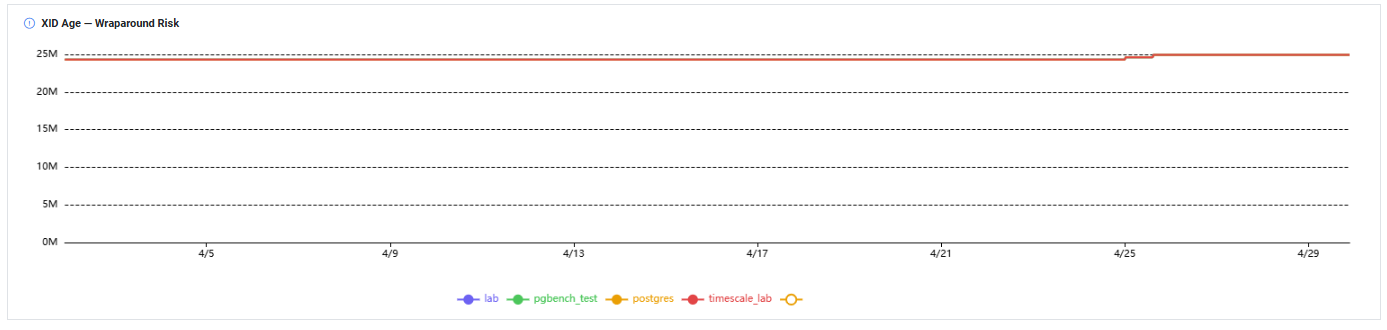
Understanding XID Wraparound
PostgreSQL uses 32-bit transaction IDs. After approximately 2 billion transactions, the XID counter wraps around. If a database reaches this limit without having been vacuumed, PostgreSQL enters emergency shutdown mode to prevent data corruption.
XID age = distance (in transactions) from the oldest unvacuumed transaction to the current transaction ID.
| XID Age | Risk Level | Action |
|---|---|---|
| < 500M | 🟢 Low | Normal — no action needed |
| 500M – 1B | 🟡 Warning | Monitor — ensure autovacuum is running |
| 1B – 1.5B | 🟠 High | Investigate — run manual VACUUM on old tables |
| > 1.5B | 🔴 Critical | Immediate action — risk of emergency shutdown |
If XID age approaches 2 billion, PostgreSQL will refuse all new transactions and enter read-only mode to protect data integrity. Monitor this chart regularly and ensure autovacuum is not disabled or throttled on any database.
To check current XID age:
SELECT datname,
       age(datfrozenxid) AS xid_age,
       pg_size_pretty(pg_database_size(datname)) AS size
FROM pg_database
ORDER BY age(datfrozenxid) DESC;
Use for:
- Monitoring wraparound risk across all databases continuously
- Detecting databases where autovacuum is not keeping up with XID consumption
- Identifying databases that need aggressive
VACUUM FREEZEintervention
Detecting Unexpected Growth
A sudden jump in database size in the Size Evolution chart may indicate:
- A large batch data load or ETL operation
- A missing DELETE or TRUNCATE in a scheduled cleanup job
- A bloat spike caused by high-churn tables not being vacuumed
- Temporary table accumulation
Cross-reference with the AWR Viewer for the same time period to identify the source — check Top SQL by Executions for bulk INSERT patterns and Bloat Analysis for table bloat growth.