Trends
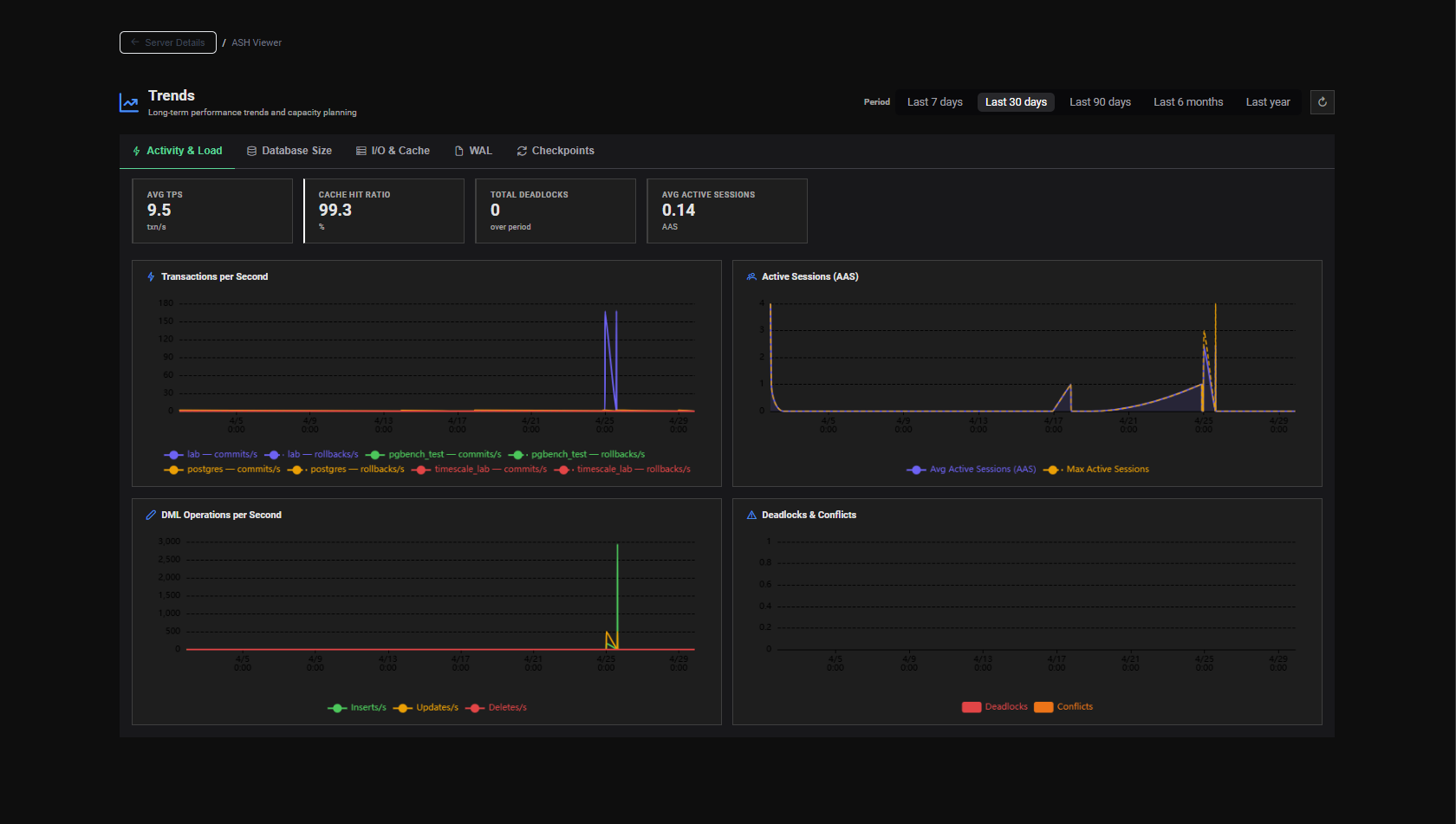
The Trends page provides long-term visibility into the evolution of your PostgreSQL instance's key metrics. While ASH gives you real-time visibility and AWR gives you workload snapshots, Trends answers the longer-range question: how is my database changing over time?
Purpose
Trends is designed for two primary use cases:
Capacity Planning
Track how your databases grow in size, how throughput evolves week over week, and how WAL generation trends upward as write activity increases. Use this data to project future storage and compute needs before they become emergencies.
Regression Detection
Detect gradual degradations that are invisible in point-in-time reports — a slow but steady increase in rollback rate, a growing number of dead tuples, or a declining cache hit ratio over weeks.
Data Source
Trends data comes from the *_history tables in the PMP repository — the long-term aggregated snapshots created every 30 minutes by the AWR Snapshot Engine.
Because this data is retained long-term, Trends can show evolution over days, weeks or months depending on your retention configuration.
Page Layout
The Trends page is organized into thematic tabs, each covering a different aspect of database health:
| Tab | Metrics Covered |
|---|---|
| Database Size → | Storage growth per database |
| Activity & Throughput → | Reads, writes, commits, rollbacks |
| WAL Trends → | WAL generation rate over time |
{screenshot: trends-tabs}
Server Selection
Use the server selector at the top of the page to choose the monitored PostgreSQL instance you want to visualize trends for.
{screenshot: trends-server-selector}
Time Range Selection
All charts in the Trends page share a common time range selector:
| Preset | Coverage |
|---|---|
| Last 7 days | Recent week |
| Last 30 days | Last month |
| Last 90 days | Last quarter |
| Custom | Any start and end date |
{screenshot: trends-time-range-selector}
See Custom Time Range → for details on the custom date picker.